mosaic : design blog
React Native +
6/6
Mobile app playtesting and figuring out hard mode gameplay
After creating the web version of the game, I recreated the functionality in a react native project and created a testflight build to give to family friends. i'm skipping some details, but i'd never stepped past an expo build into testflight so it was really exciting to get the game into real people's hands.
my siblings played the game and passed the link onto their friends who also loved it. unfortunaly this is when i got busy and stepped away from the project for a bit, long enough for the testflight build to expire.
but nevertheless, i persist! after other commitments subsided a bit, i started up the dev server again and continued. the mobile app had revealed some issues in the game that i hadn't anticipated, so the resurgence kicked off some rethinking of the higher-level gameplay.
first problem:
the game is only fun for difficulties 3-4
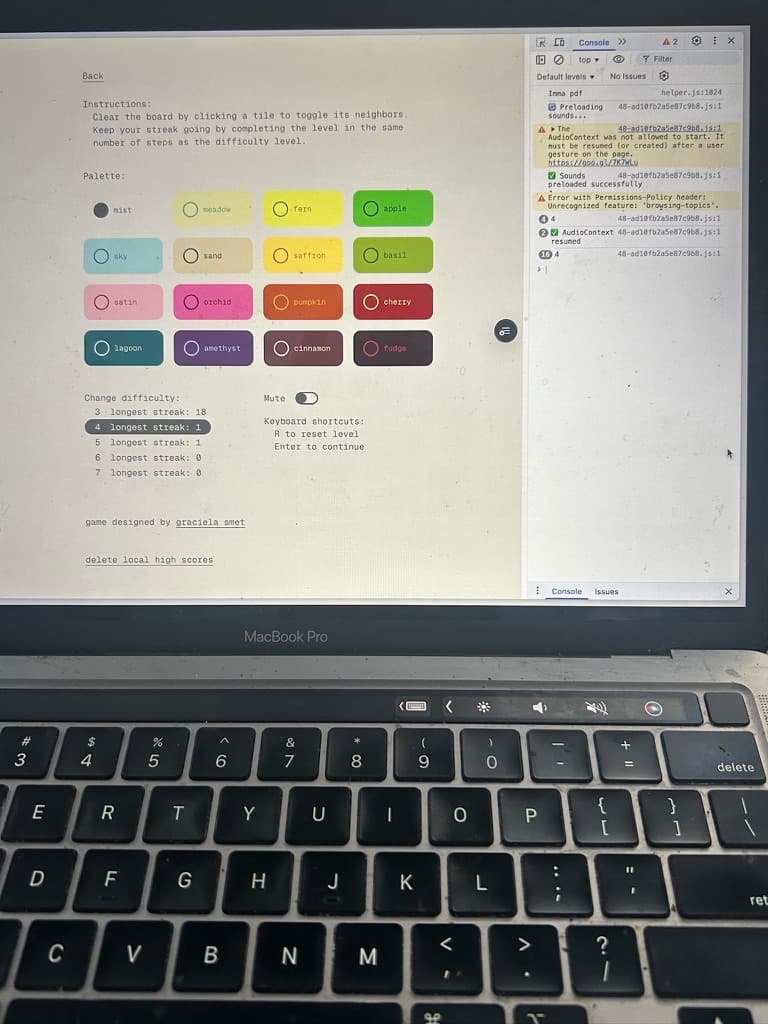
when this iteration started, resetting a puzzle reset your streak. from playtesting i realized that this made for an engaging process for the lower levels (3-4 moves), but the higher levels (often requiring some trial and error) became almost impossible and less interesting to play without the streak to motivate you.
unless you're my brother, who could do level 5 and maintain a streak. but even he struggled on levels 6 and 7.
for everyone else, i decided to make it easier: now that resetting a puzzle no longer resets your streak! now the higher difficulties were much more manageable, but there was a new problem...
new problem: you could play forever
with the game easier i had a new problem: you could functionally play your current level forever and never have to lose your streak. if you take a few moves and realize the current puzzle isn't solveable in a final move, you could just reset and try again. but then players aren't motivated to try out the higher levels because they don't want to lose their streak.
so i tried out a new feature: what if instead of a single game at a single difficulty, you could have multiple games going at once, one at each difficulty? that way you could step away from a lower level game to try higher level ones and return to the lower one whenever you want, maintaining your streak on each.
i adjusted the launch screen to show all the difficulties, each with your current streak and highest streak, and a CTA allowing you to continue each one individually.
new problem: too much going on
i kept poking at the design for the launch screen but it just wasn't right. even if it was visually solveable, the lower difficulties were still functionally infinite and the game was losing its challenge factor.
so... how to balance and fun & challenge across all difficulties?
i started by just adding a toggle to the settings screen to turn on "hard mode", which would reset your streak when you reset a puzzle. this way, stronger players could opt into this style of gameplay across all levels.
new problem: one mode doesn't fit all
the same issue came up again: hard mode would only be additive for certain players for certain difficulties, so a global toggle meant that if players wanted to vary playing between different difficulties, they would have to constantly turn hard mode off and on again.
i realized players would likely want to play "easy" mode at all difficulties until they got good at recognizing patterns, then would gradually play around with hard mode at lower difficulties as they improved. not to design for myself, but i would likely play hard mode on levels 3-4 and regular mode for 5-7, anticipating that as i get better i would want to play level 5 on hard mode as well.
also, it felt disingenuious to treat your highest streak the same whether you're in hard mode or not: solving a string of puzzles at level 7 is much easier on regular mode than hard mode.
solution: 7 diffuculties, 2 play modes.
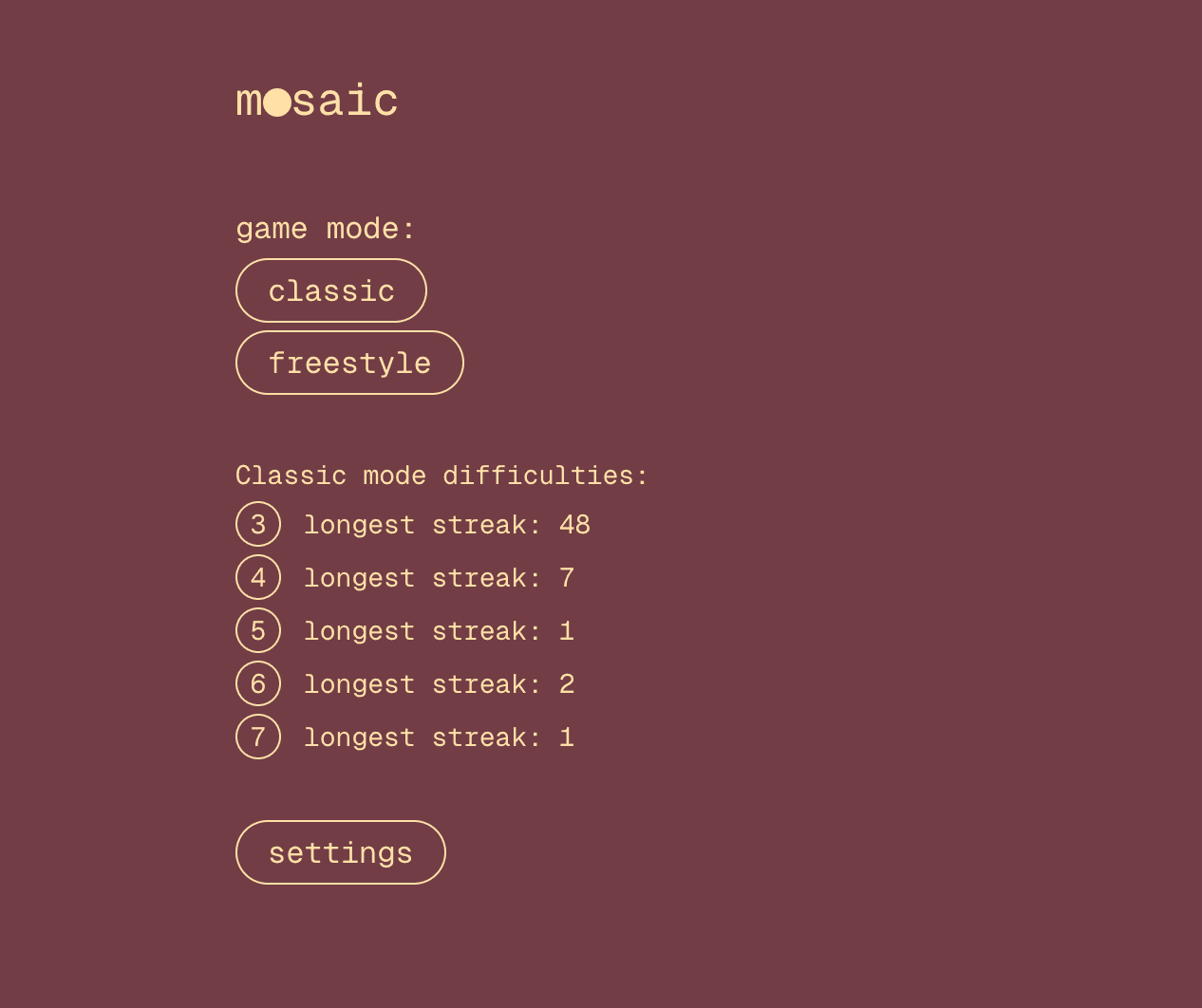
i decided that it was worth maintaining a "longest streak" record for both regular and hard mode. as much as i wanted to keep the launch screen as simple as possible, i decided to overhaul it to support both modes.
if you have a current game going, the game begins gives you the option to continue it or start a new one (with an added confirmation step since this would abandon your current streak/game)
when starting a new game, the player can see all difficulties and their high score for both modes. after selecting a difficulty, they then can select a play mode (regular or hard).
i made sure to add hard mode signals to the streak counter and to the reset button while playing to make it clear which mode you're in and to help you navigate the different modes.
alongside gameplay adjustments, i also made some miscellaneous changes to make the game more accessible and user-friendly.
miscellaneous changes
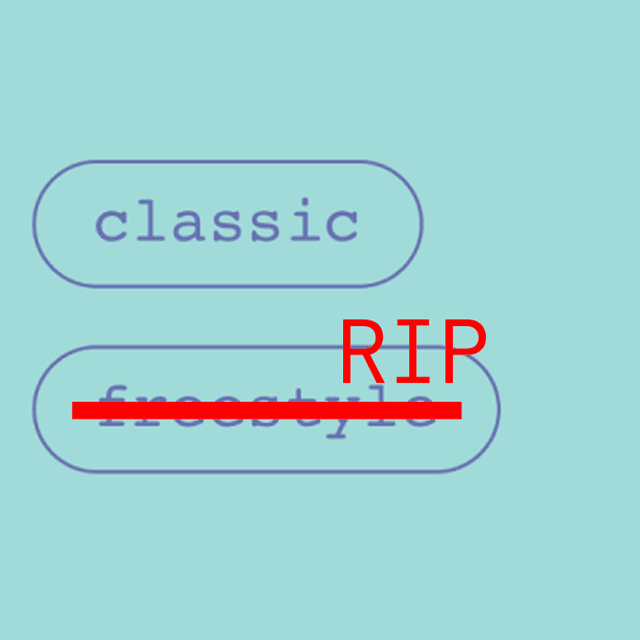
no more freestyle mode: aside from the original playtester who inspired freestyle mode, none of the people with the testflight link used it, so i decided to rip it out completely. this gave me a lot more flexibility with maximizing use of the launch screen to communicate the different modes and difficulties.
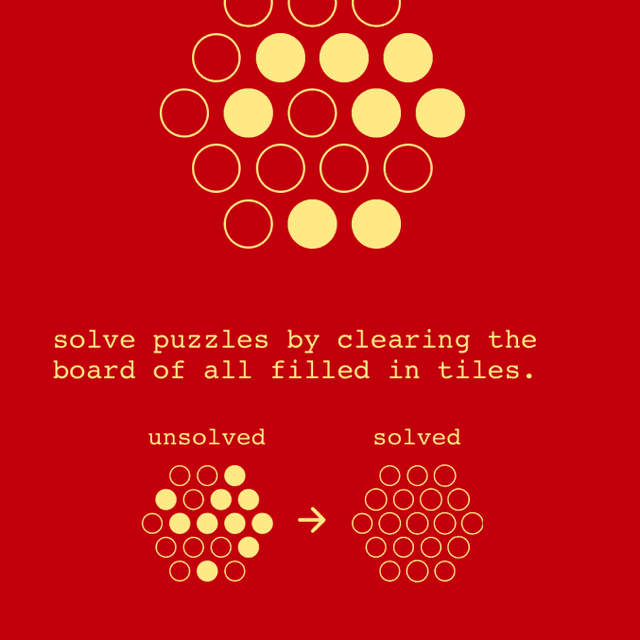
standalone help screen: initially i had the instructions just at the top of the settings page. it was a little too hidden that way, so i pulled out the help page into its own proper home. i also added a clear visual demonstration of what a "cleared" (solved) puzzle looks like, and added a functional hex board to this help screen so users could tap around and experiment with the tiles if the flipping mechanic was still confusing.
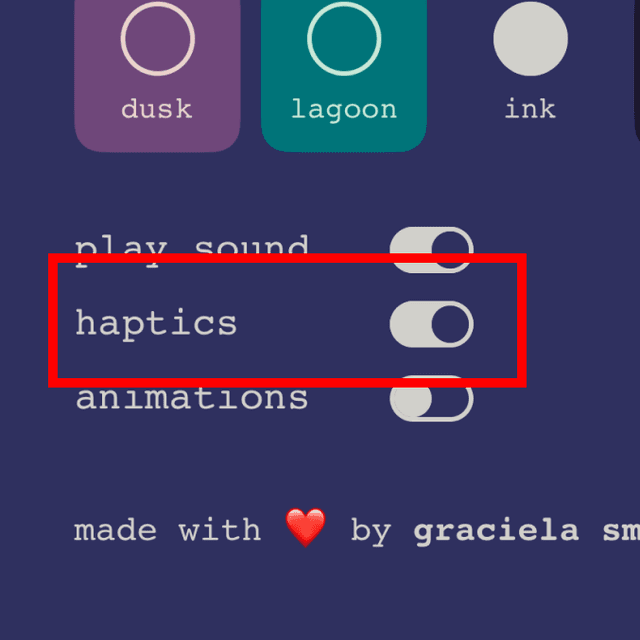
haptics & haptic control: with the mobile-native format came new affordances like haptic feedback that i leaned into to provide a more satisfying tactile experience when tapping tiles and when solving a puzzle. this of course came with a toggle in the settings page to let players turn it on and off if they found it distracting.
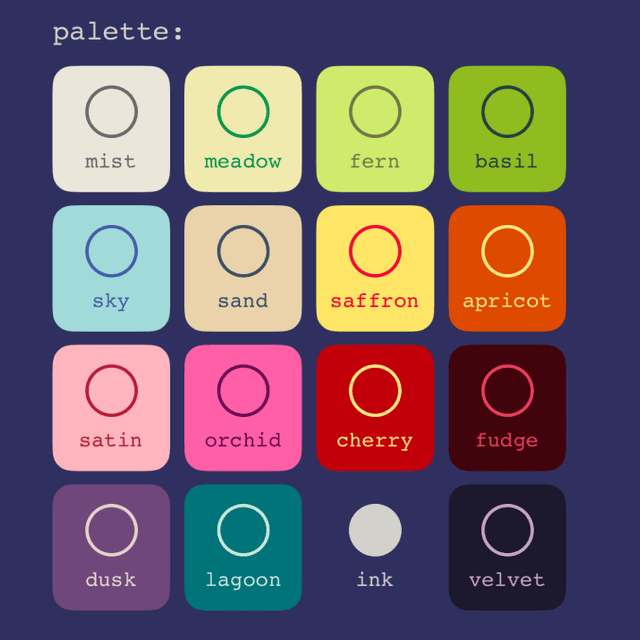
palettes: i fiddled with adding/removing a few palettes, removing my least favorite ones, then went through and checked/adjusted the color contrast on each palette for accessibility. this is maybe my favorite thing to fiddle with, i love the colors!
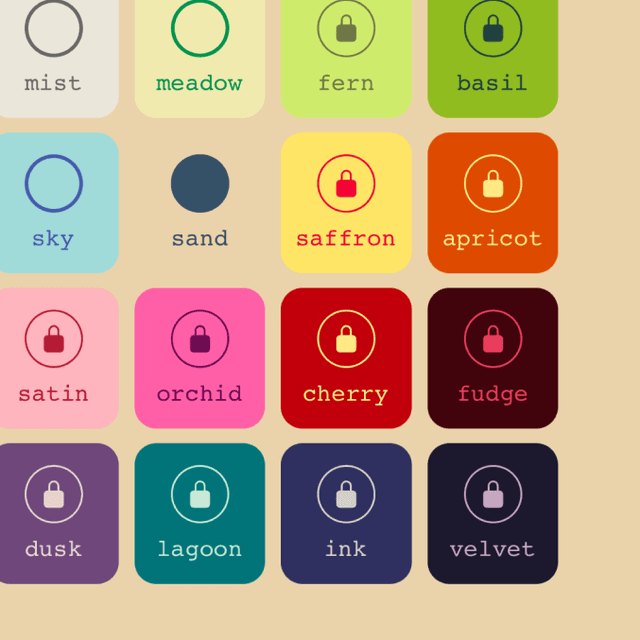
paywall: i fantasize about not having to work a corporate job, sue me, so i decided to add a paywall to 12 out of the 16 color palettes. i believe that games should be completely free to play and that anything paid should be purely cosmetic, so this was a clear choice for monetization. play all the difficulties and modes you want, but the colors are a higher-level feature.

custom difficulty icons: i really liked the simple UI but it was getting to a point where there was too much text on the screen communitcating difficulty, moves, streaks, and more. i decided to make an icon representing each difficulty, using circles to represent each move of that difficulty. you could argue that this is confusing because now there's a lot of circles, but since a move = tapping a circle, i think it's cute. i also put the new difficulty icons next to the "moves:" counter in the game screen to make it more clear that that's what the icon represents.
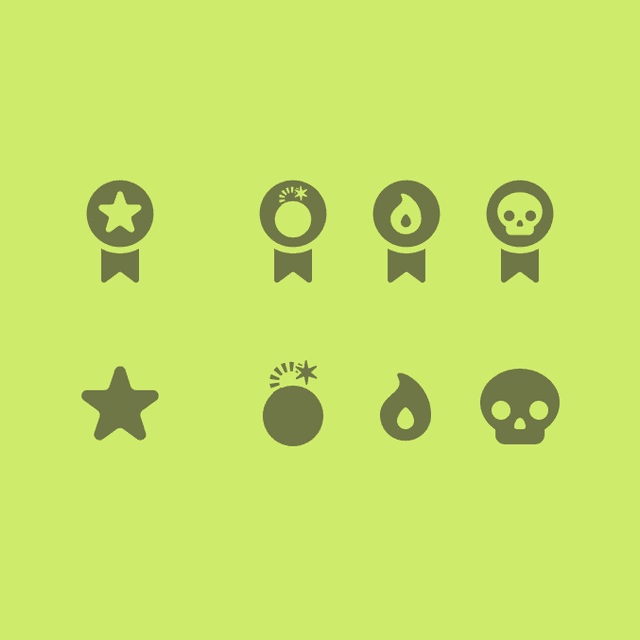
custom mode icons: in addition to the difficulty icons, i added custom icons for the regular and hard modes to make it more clear which mode you're in. i played around with a few different options for hard mode like a flame and bomb but decided to go with a custom simple skull since that's a pretty universal signal. these then got added to the streak counter and longest streak signals to again help minimize text clutter and create continuous visual signals for both modes.
Migrating to React +
5/6
Creating a higher-level gameplay goal and adding instructions/settings/animations
At this point I had taken the game and recreating it effectively in p5.js, adding some exciting mods that made it meaningfully different than the original. I was feeling really excited about the potential of the game, and decided it was time to graduate it off of p5.js onto something more accessible.
I started recreating what I already had in p5 in React, taking advantage of all the benefits of responsive design. At the same time, I was also thinking about what else could be added to the game to make it more of a complete experience
Add a grounding landing page.
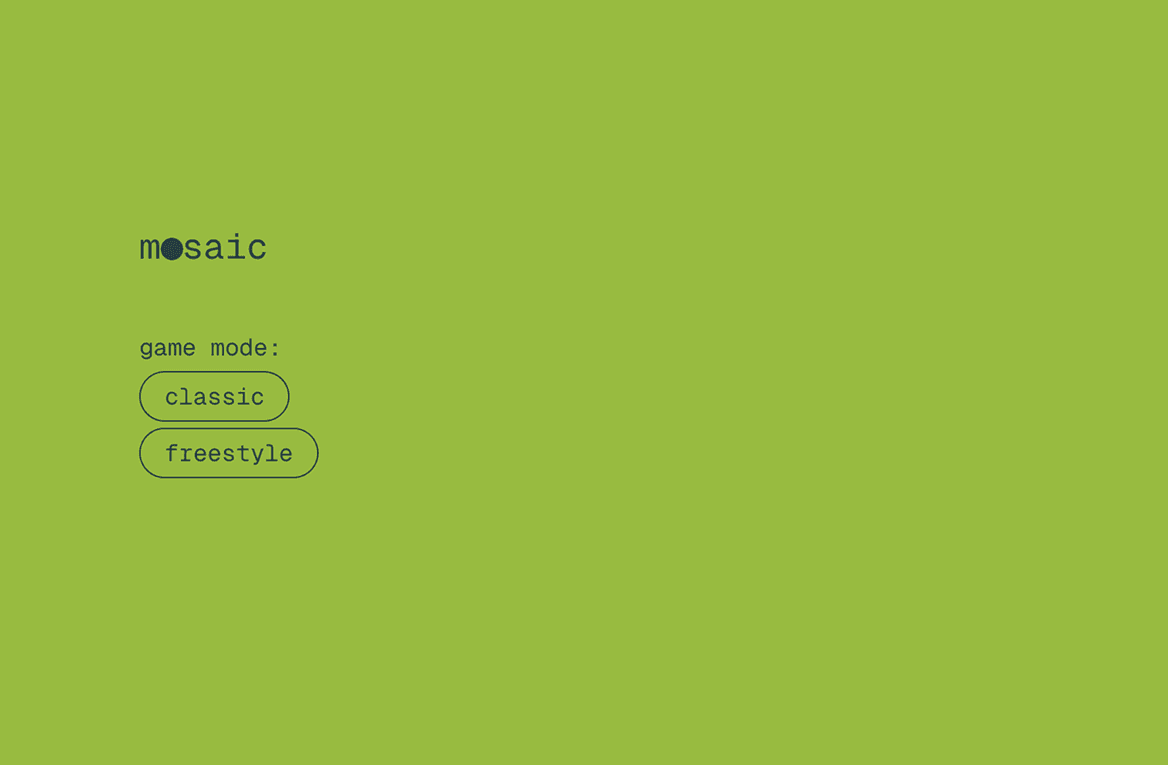
I wanted to make the game feel more like a complete experience, so I added a landing page that would give the player a simple place to sit before diving into the game.
Most importantly, I needed the game to have a title. I had been calling the circles tiles in my head, so I decided to roll with that and call the game mosaic, embracing the idea of a grid of tiles in bright colors and patterns.
Higher-level gameplay goal: maintaining a streak
At this point, the goal of the game was to undo a pattern in a certain number of moves. While this was interesting, the challenge related only to a single puzzle: there was no arching gameplay or progress over the course of multiple puzzles.
My first idea was to add a score counter, giving players points for completing a puzzle. They could earn more points by completing more difficult puzzles or by completing a puzzle within the target number of moves.
While this worked, it was still a little bit arbitrary. Players could earn an equivalent number of points completing a ton of easy puzzles as they could by completing a few hard ones, which didn't really incentivize them to try to improve or take on a more difficult puzzle.
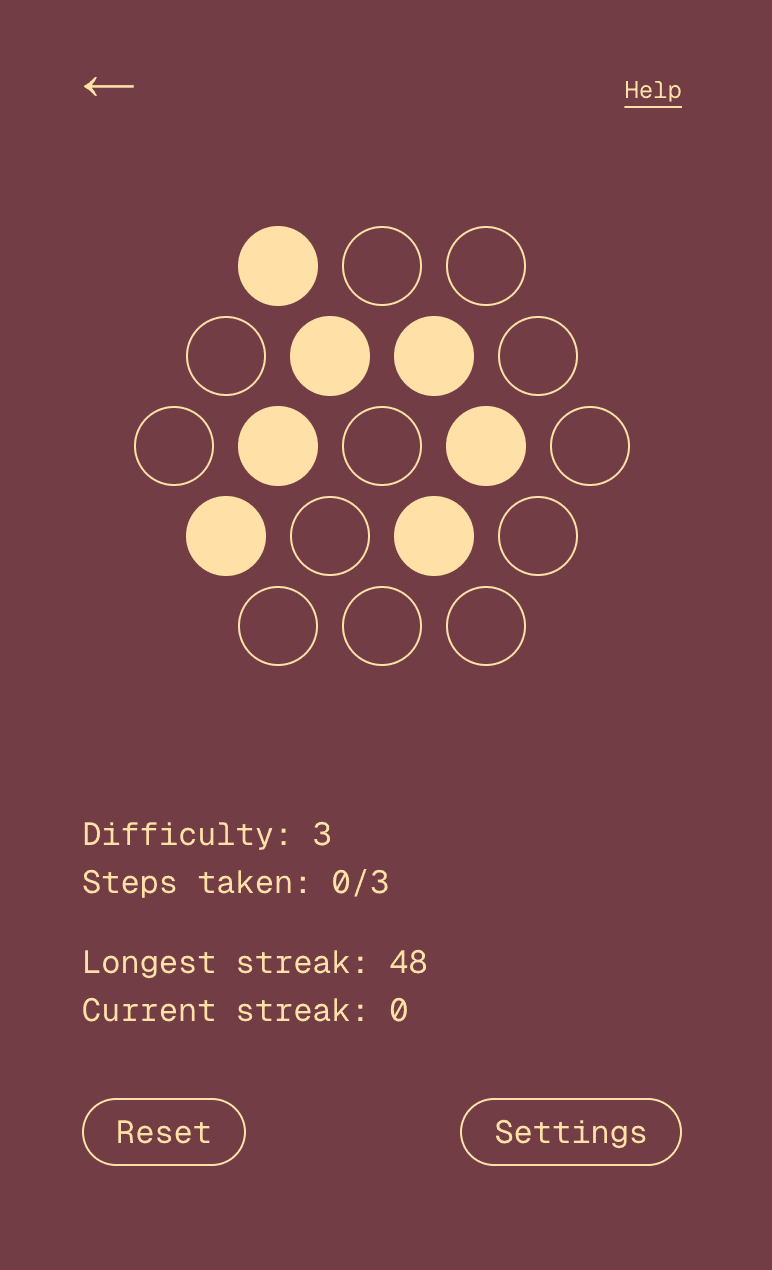
Instead, I decided to add a streak mechanic: players would add to their streak by completing a puzzle within the target number of moves, and lose their streak if they took too many moves. There would be a different streak for each difficulty level, making it more clear how they fared at the different difficulty levels.
Now, there was a motivation to play not only a single puzzle but multiple puzzles in a row, to continue getting better so you could get longer and longer streaks on each difficulty level.
Supporting emergent play styles
One friend that playtested my game was completely and wholeheartedly uninterested in matching a target pattern. I told him what the goal of the game was, and he expressed that he just didn't care to do that.
Instead, when given the board, he was most interested in just playing around with the tiles, flipping them to try to make an aesthetically pleasing pattern.
I was excited about the idea that the simple premise could give way to a bunch of different play styles, so I added a freestyle mode. Here, players could just play around endlessly flipping tiles with the same logic as the original game, but with no goal or limitations.
Personalization controls and instructions
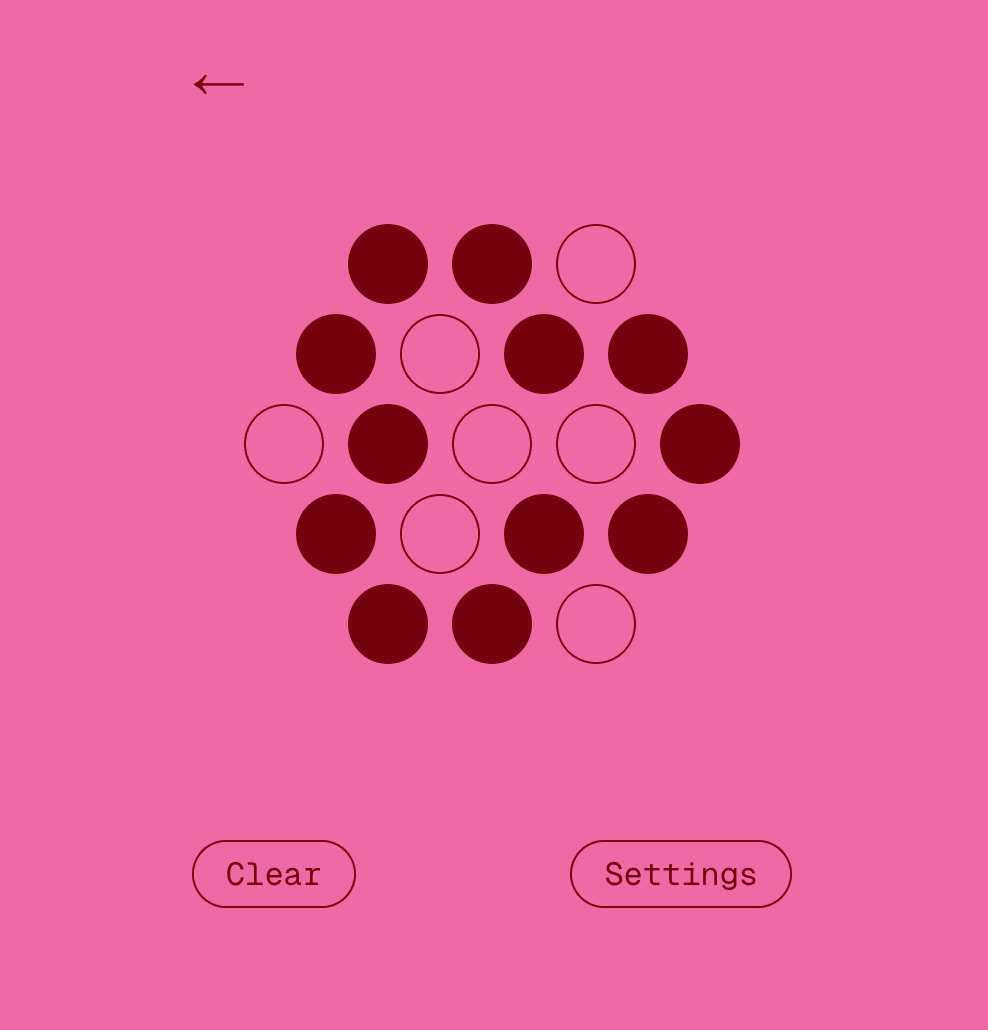
In a world where people encounter this game without me looking over their shoulder, I wanted to make sure it still made sense. I added a simple set of instructions, explaining how the toggling mechanic worked and the rules around streaks.
At the same time, I added a settings menu to let players have strict control over the colors and sounds of the game.
Having the colors change at random was a fun idea but a little too jarring, and some players that I showed it to were confused by whether or not the colors changing meant something. I wanted to keep the same fun color palettes, so I moved them into the settings menu. Similarly, I added a mute toggle so players could turn the sound effects on and off.
These originally were two separate pages, but I decided to merge them into one since they were both simple. This way, new players clicking on "help" would also discover that they could control the colors
Adding animations
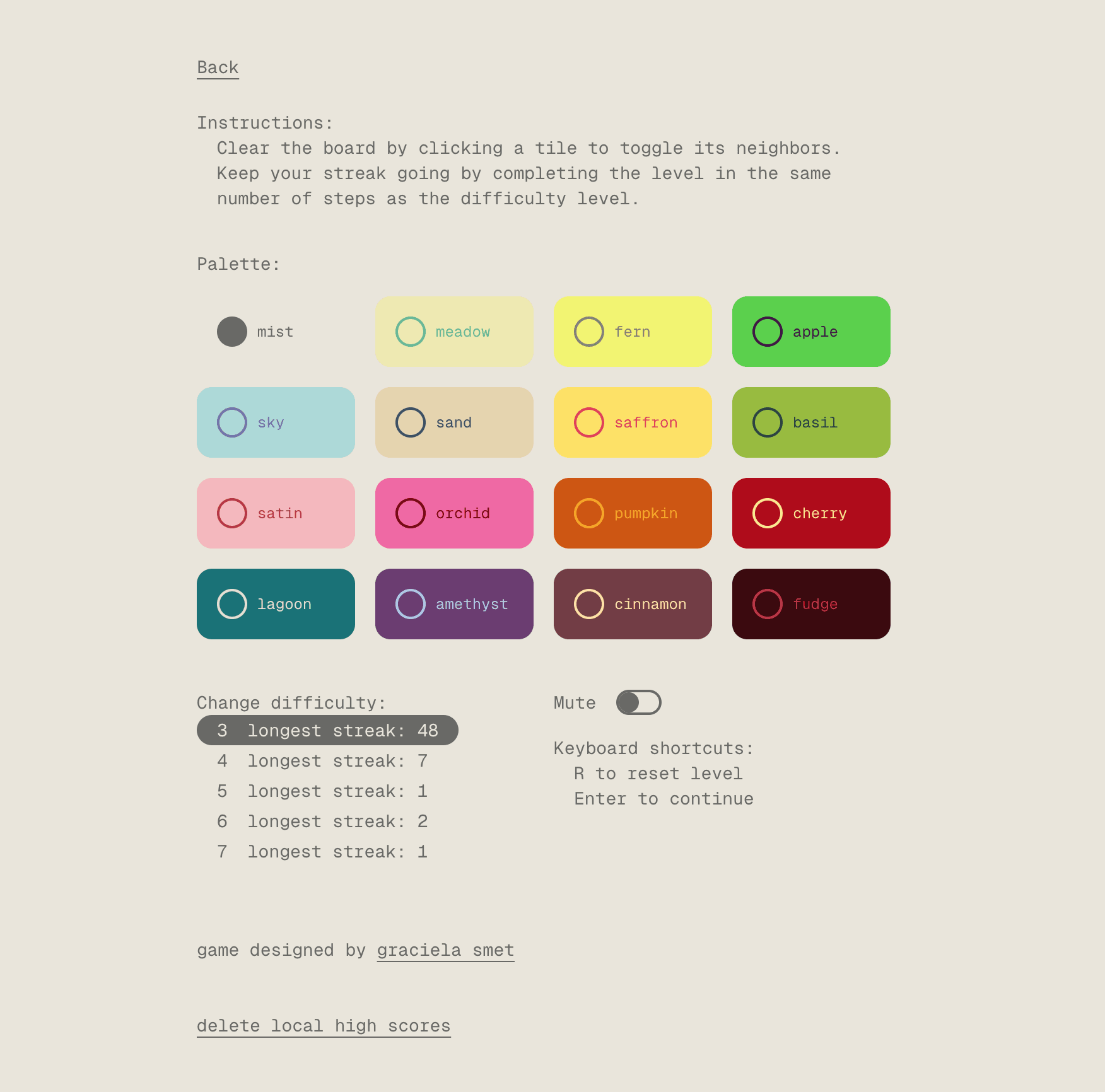
The final stage at this point was adding in some animations since one of the unique capabilities of migrating from p5.js to React was that I could now use CSS transitions. I wanted to help new players understand the toggle mechanism and the connection between neighboring tiles. I was also interested in how motion could help create create a greater sense of satisfaction upon finishing a puzzle and better transitions between puzzles, so I added animations in those moments as well.
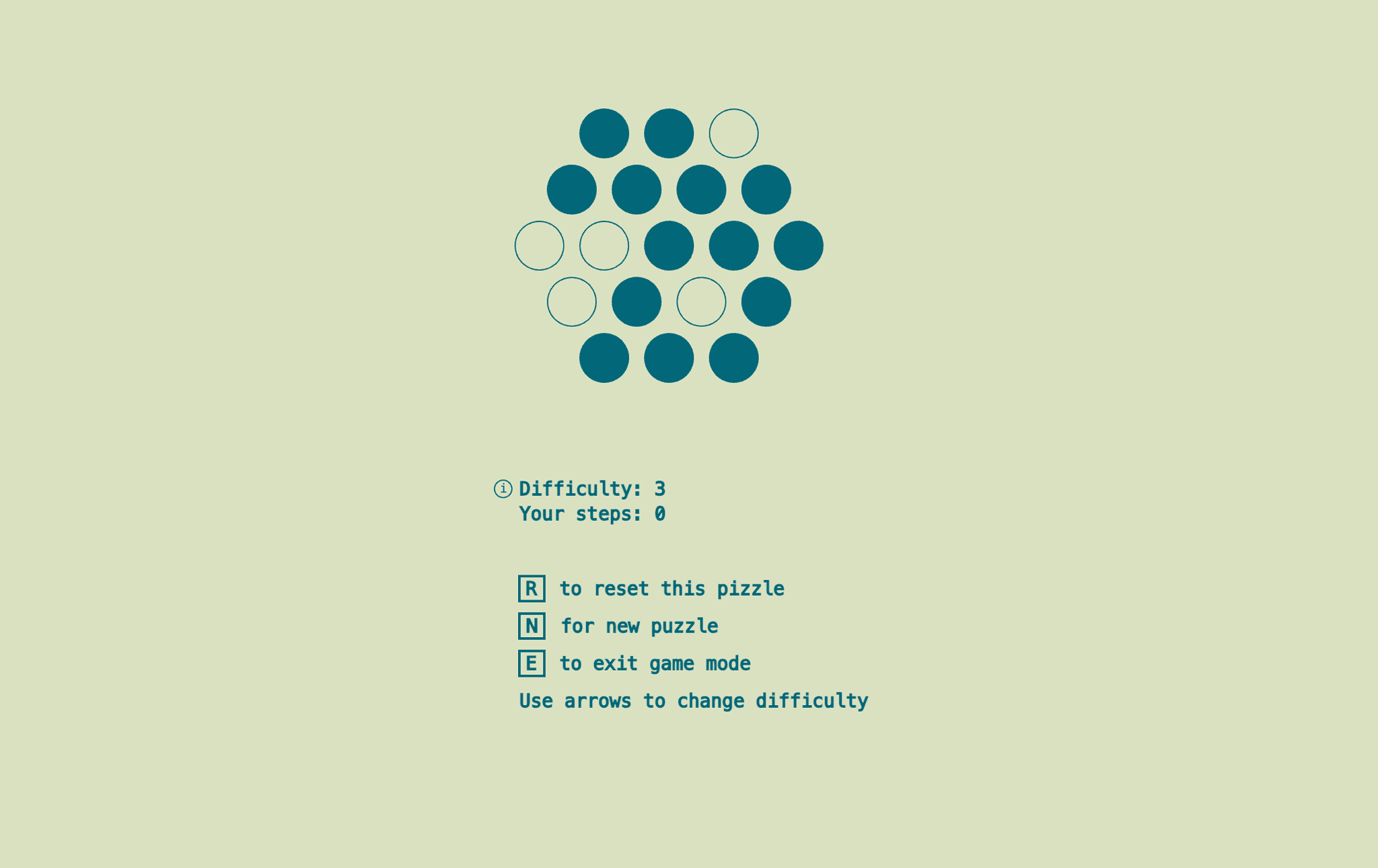
Modding the game +
4/6
Giving the game my own twist with a new grid and a new goal
I put this first version of the game in front of my roommates and asked them to play, getting some initial feedback. It was generally good, the game wasn't for everyone but my most likeminded friends caught the same addictive energy that I had.
I wasn't going to be satisfied with just recreating the original game, and now that I had a solid functional foundation I could start to really explore how to improve the game.
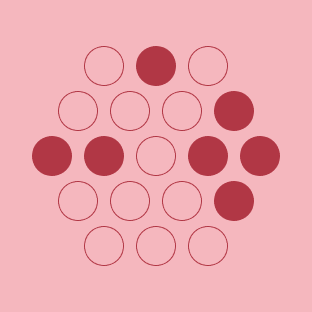
New hexagonal grid
This changed was prompted by none other than a game of Catan, because who doesn't love a hexagonal grid?
At first I was excited mostly because the new grid represented a clear visual departure from the original game, a very classic way of modding the existing game with a clear twist.
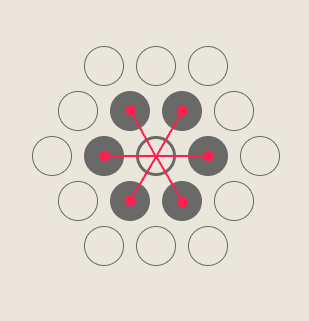
Upon playing with this new grid and showing it to my friends, I realized it offered a really compelling improvement to the game: It was much more clear how the neighboring tiles related to the center tile.
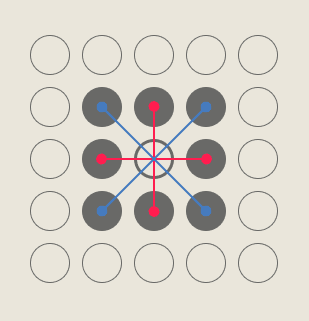
One of the most confusing parts of the original game was what exactly was happening when you clicked a tile: it was hard to tell which other tiles were going to be changed until you got used to it. The neighbors on the square grid exist at different distances from the center tile, making it a little strange and awkward to see the connection.
Because the hexagonal grid has more regular distances between tiles, it was much more clear and intuitive to see which tiles were "connected" to the center one.
New goal: "undo" a pattern rather than match a target one.
This change was inspired by a mini game I play with one of my roommates: start with a solved Rubik's cube, have a friend take a set number of random moves on it (normally 3-5), then try to solve it again.
It gets progressively harder with every move you add, but there's a strange and satisfying mechanic where each move you take feels like it's getting you closer to the solution.
This helps clean up the UI since I no longer have to show a target pattern, and also makes the game more satisfying to complete: Instead of succeeding when you match a random pattern (often asymmetric), you now succeed when the puzzle board is completely empty, a visual that feels more "complete".
First p5.js Prototype +
3/6
Recreating inspiration games and developing aesthetic
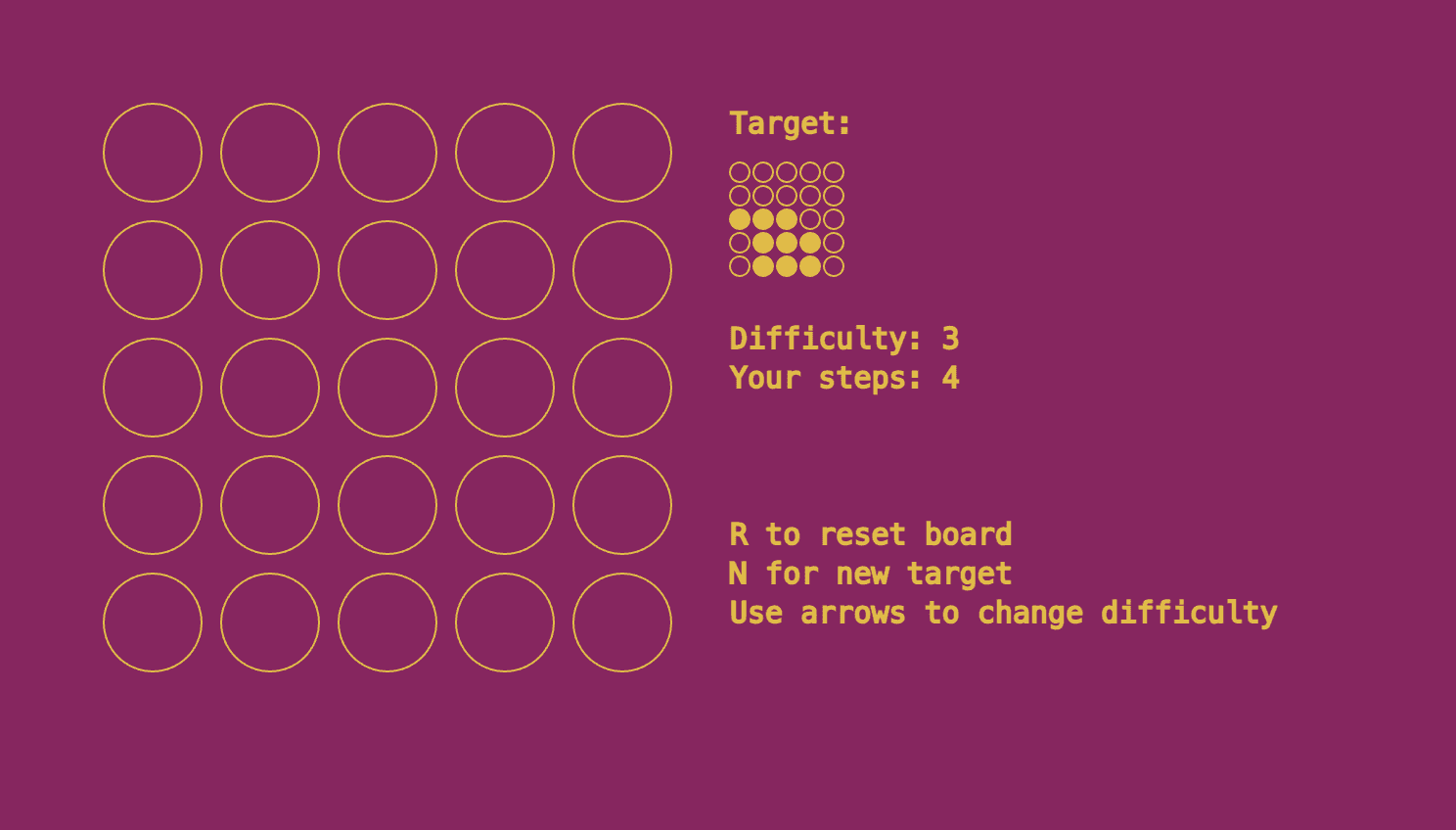
My first goal was simple: recreating the premise of the original games in p5.js. I took inspiration from the dense grid of the Mario game and the satisfying circles of the Zenses game, creating a grid of circles with the same core mechanic of clicking to toggle a circle and all its neighbors.
Every game needs a goal, and I kept the same goal of trying to match a target pattern. I was less certain about the aspect of a time limit or lives, so I focused first on just recreating the core mechanic.
I kept the same idea that the target pattern should be dictated by a certain difficulty number, reflected in the number of steps that were taken to create it. I added a difficulty control, accessible via arrow keys, to let players experiment with different levels of difficulty.
In the spirit of an infinite game, players could also restart the puzzle or generate a new one at any time.
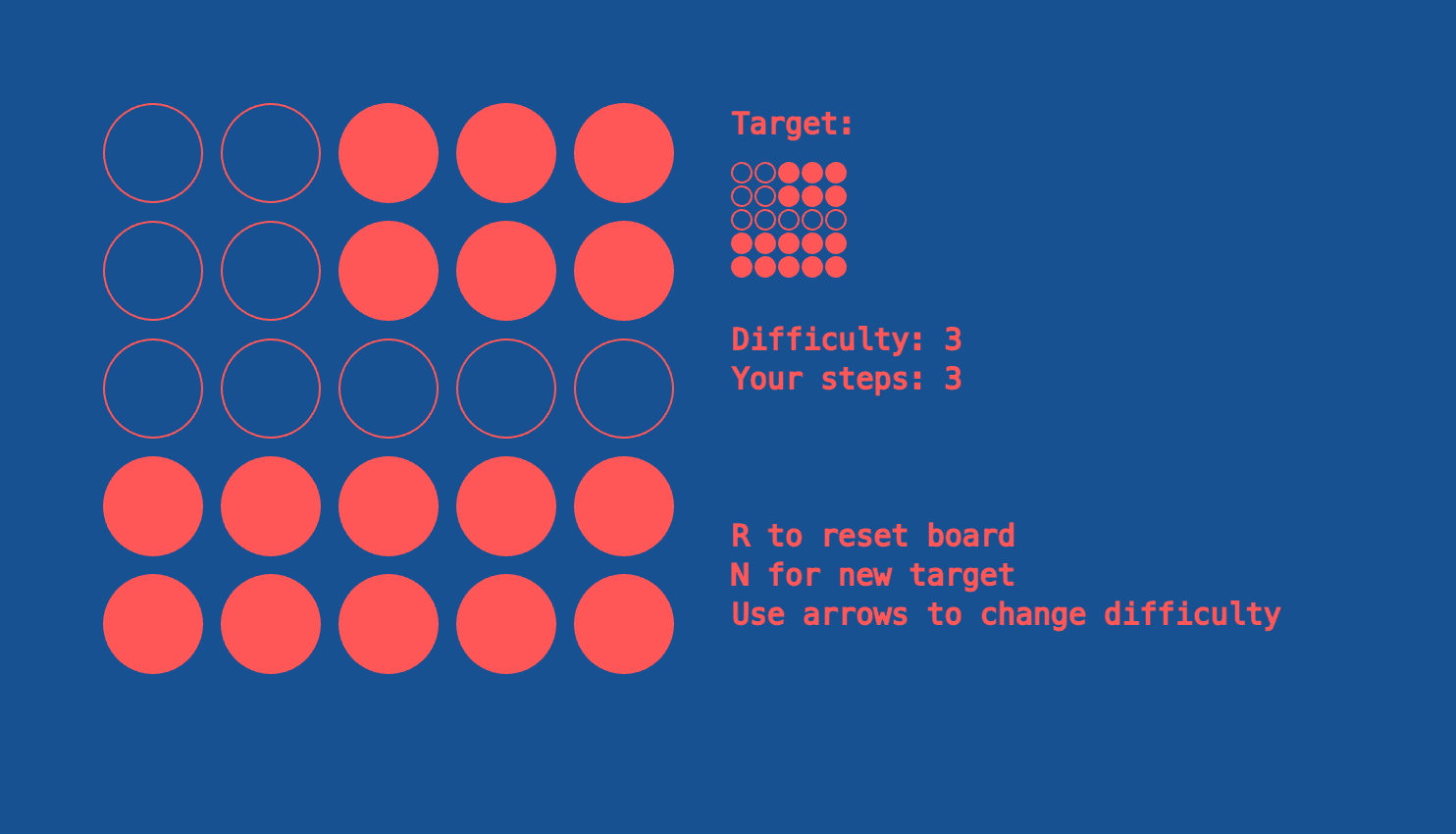
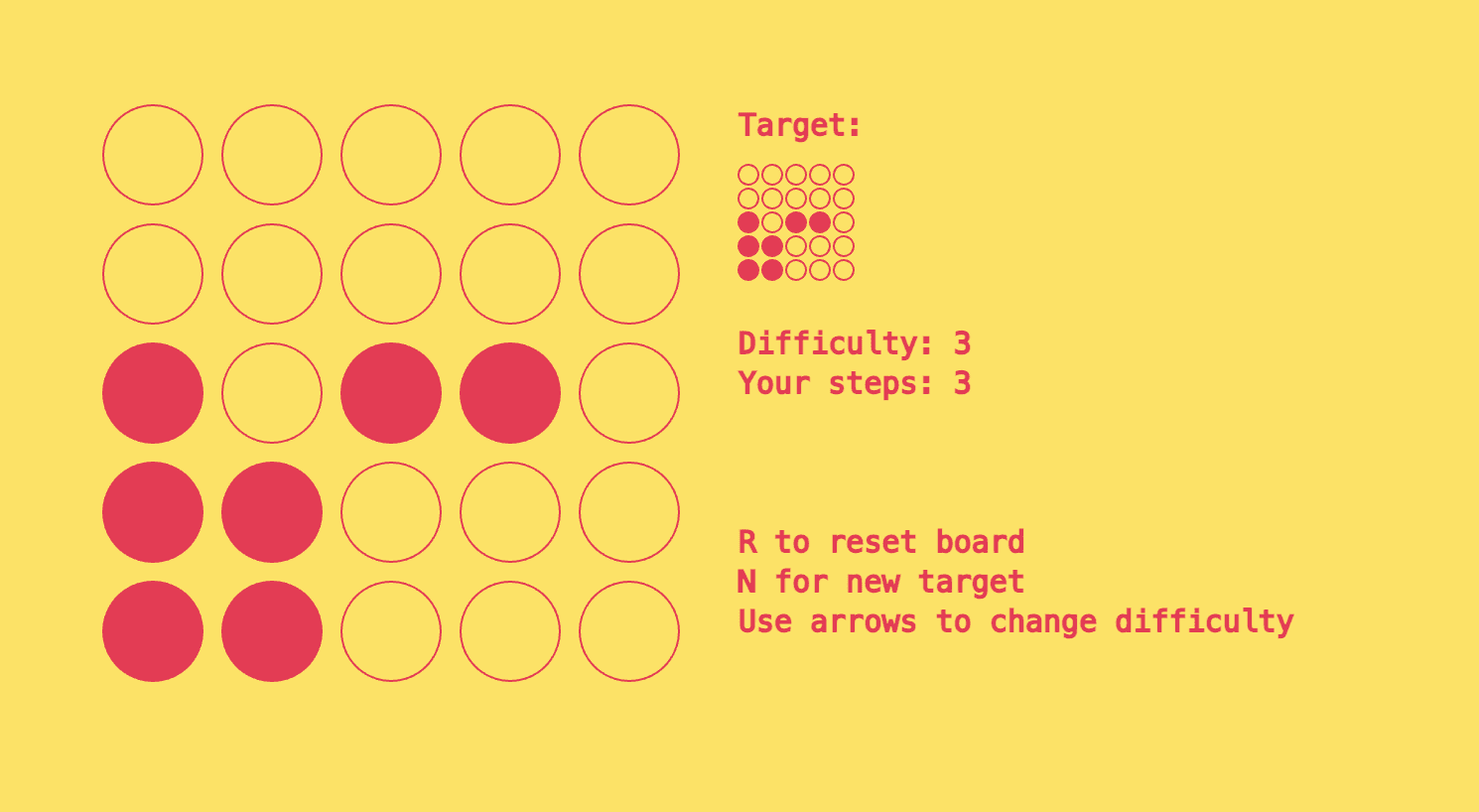
I was really interested in creating a minimalist aesthetic that matched the simplicity of the game. Each tile could fundamentally be only one of two colors, so I extended that pattern to the whole interface, making everything duochromatic.
Driven by my own indecision for what those two colors should be, the minimalist aesthetic gave way a little to a set of color palettes that the game would randomly cycle through whenever the user changed the difficulty or generated a new puzzle.
I also included some simple sound effects to make the game experience fill out a little more, a set of short marimba sounds that play when a tile is flipped and a longer sound that plays when the puzzle is solved.
Background +
2/6
Credit where it's due for the games that inspired me
Over Christmas, back in my hometown, I found myself engaging in a familiar pattern. When I'm at home I tend to get really nostalgic, digging up old toys and games and playing with them with my siblings.
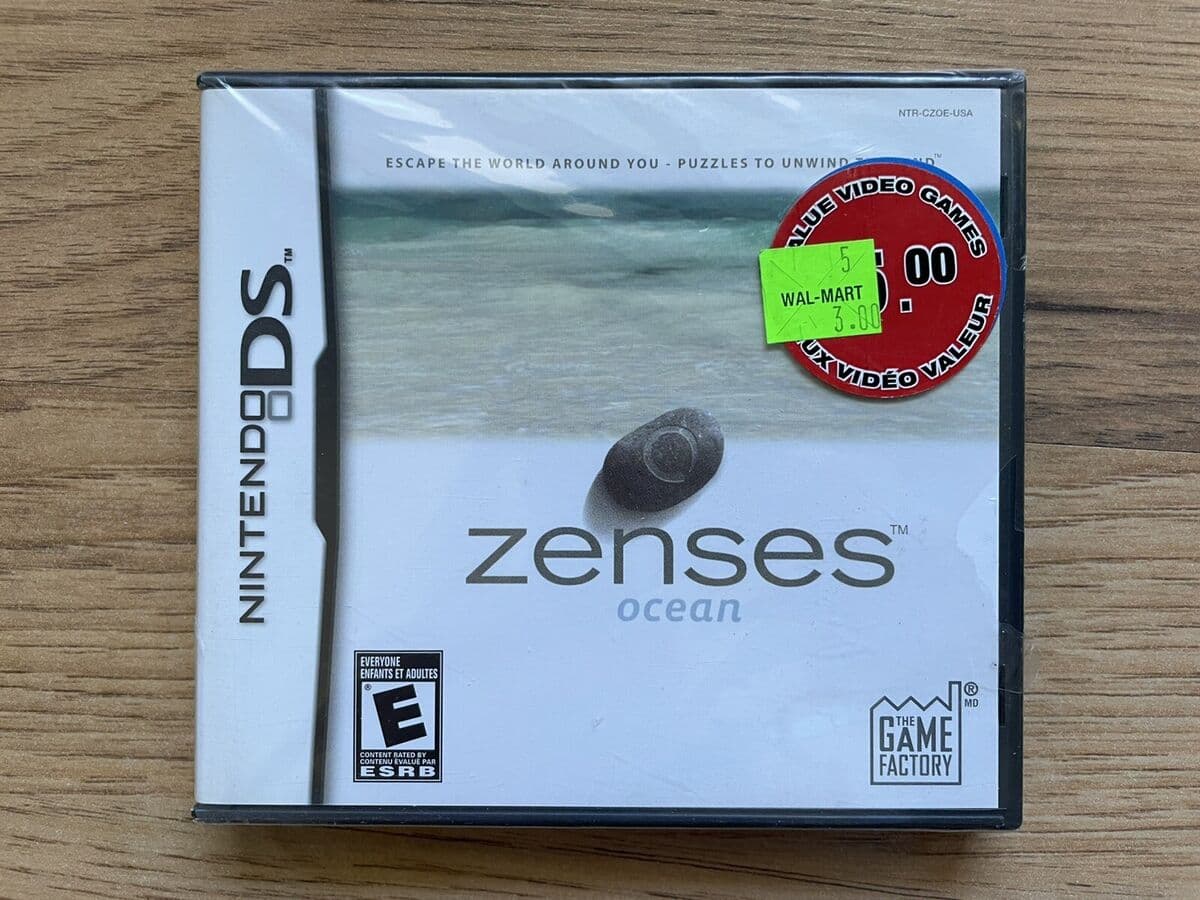
This time around I was especially fixated on my old Nintendo DS. We visited a used games store, I picked up a copy of "Zenses" for $5. I had never played it before but picked it up to meet the $15 card minimum.
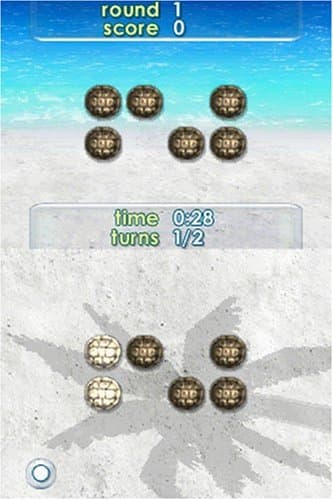
It's basically a series of short minigames, one of them being a beach with small tutrle shells that you can tap to flip over, toggling it between a light side and a dark side. The catch is every time you flip a shell, all of its neighbors flip as well. The goal is to match the pattern on the top of the screen as quickly as possible, completing as many puzzles as you can before time runs out.
It reminded me a lot of another game that I used to play back when I was playing with my DS the first time around, a minigame in the Super Mario Bros that I was honestly a little obsessive about. It was the exact same premise, but in this version you had a limited number of moves to complete the pattern, and taking too many moves cost you a life. The levels got progressively harder, requiring progressively more moves to complete, until you finally failed and lost the game.
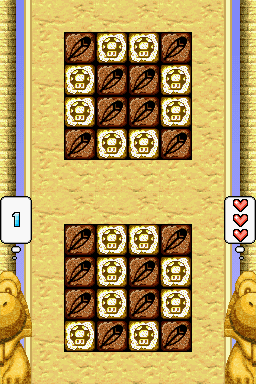
I have no clue which game came first, but all I know is that I LOVE this kind of game. It's simple, it's infinite, familiar yet never repeating. It's the kind of game that gets stuck in my head, where I'm seeing visions of tiles flipping and unflipping in my sleep.
I knew I'd been wanting to make a game for a while, and this was a perfect candidate for an easy game that honestly, if no one else liked it, I could at least enjoy it myself.
Overview +
1/6
Context and tools
This is a solo project that I've been working on on and off for a few months. I was interested in creating an infinite puzzle game with a simple premise as a test of my development skills
Tools/skills:
p5.js
React
Game design